emborado vs. 2stitch Organizer: Which Tool Fits You Best?
A comparison for embroidery enthusiasts: How emborado and 2stitch Organizer differ – including cloud backup, device access, file formats, and intelligent search.
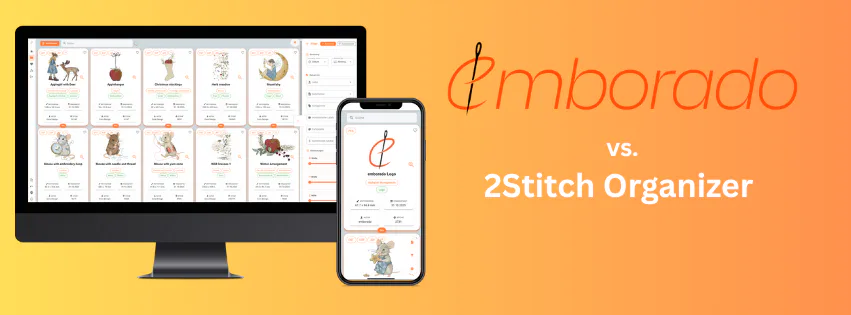
Many embroiderers use 2stitch Organizer on their computer, while others prefer the web-based emborado.
Here’s a quick and clear comparison so you can decide which one suits your workflow best.
TL;DR
- emborado is cloud-based: No installation required, works on PC, Mac, tablet, and smartphone. Your files are securely stored in the cloud – with an extra backup included.
- 2stitch Organizer is local: Must be installed on your computer and does not offer cloud syncing.
- Intelligent search: Beyond simple filename search, emborado lets you search by image content, finding designs even without matching filenames.
- Filtering options: Both tools allow filtering, but emborado provides more advanced features and flexibility.
- Ongoing development: emborado receives continuous feature updates, while 2stitch Organizer hasn’t been updated for quite some time. Even on the 2stitch website, there’s no mention of official support for Windows 11.
The Key Difference: Local vs. Cloud
| 2stitch Organizer (Local) | emborado (Cloud) | |
|---|---|---|
| Installation | Software for Windows/macOS | No installation – runs in your browser |
| Storage location | Files stored locally on your device | Cloud storage with built-in backup |
| Device access | Primarily on one computer | Accessible from anywhere (PC, Mac, tablet, smartphone) |
| Updates | Manual, rarely updated | Automatic, continuous improvements |
| Collaboration / Access | Local only | Cross-device access within your account |
Why it matters: If you switch between devices (e.g., laptop, tablet, or phone), emborado gives you instant access everywhere – no file transfers needed.
Searching & Finding: Beyond Filenames
Many embroidery collections use cryptic filenames. The real advantage of emborado is its intelligent search:
- By name – including fuzzy matches and translations (“mouse” ≈ “Maus”).
- By content (AI-powered) – finds designs by their actual visual content, not just filenames.
- By filters – such as file format, size, stitch count, color palette, designer, or tags.
In short: You’ll find your design even if you only remember “that bunny with the balloon.”
Everyday Use with emborado
- Upload – individual embroidery files or entire folders (including subfolders).
- Add details – name, designer, license, keywords; choose a preview image (e.g., a stitched photo).
- Overview – clean grid view showing all technical data, related designs, and attached documents in one place.
- Search & filter – find what you need in seconds.
Who Is Each Tool For?
-
emborado
Perfect for anyone working across multiple devices, wanting a built-in backup, and a smart way to find designs without strict folder structures. Ideal if you want to keep instructions, images, and design variants in one place. -
2stitch Organizer
A simple local solution for users who prefer organizing on a single computer.
Frequently Asked Questions
Does emborado work as a backup for my files?
Yes. Your embroidery files are stored securely in the cloud, providing an extra layer of protection alongside the management features.
Can I import my existing folders?
Absolutely. You can upload whole folders and group related design variants into one view – keeping even large collections tidy and consistent.
How can I find older designs again?
Use the AI-powered content search – it finds relevant results even if filenames don’t match. You can also use favorites and filters (designer, stitch count, format, etc.) for faster navigation.
Conclusion
If you want to access your embroidery collection anywhere, keep it safe, and find designs effortlessly – even without remembering filenames –
emborado is the tool for you.