Edit tags and AI labels in emborado
In emborado, you can now delete, merge, and rename your own tags and AI labels, and create new labels for automatic assignment.
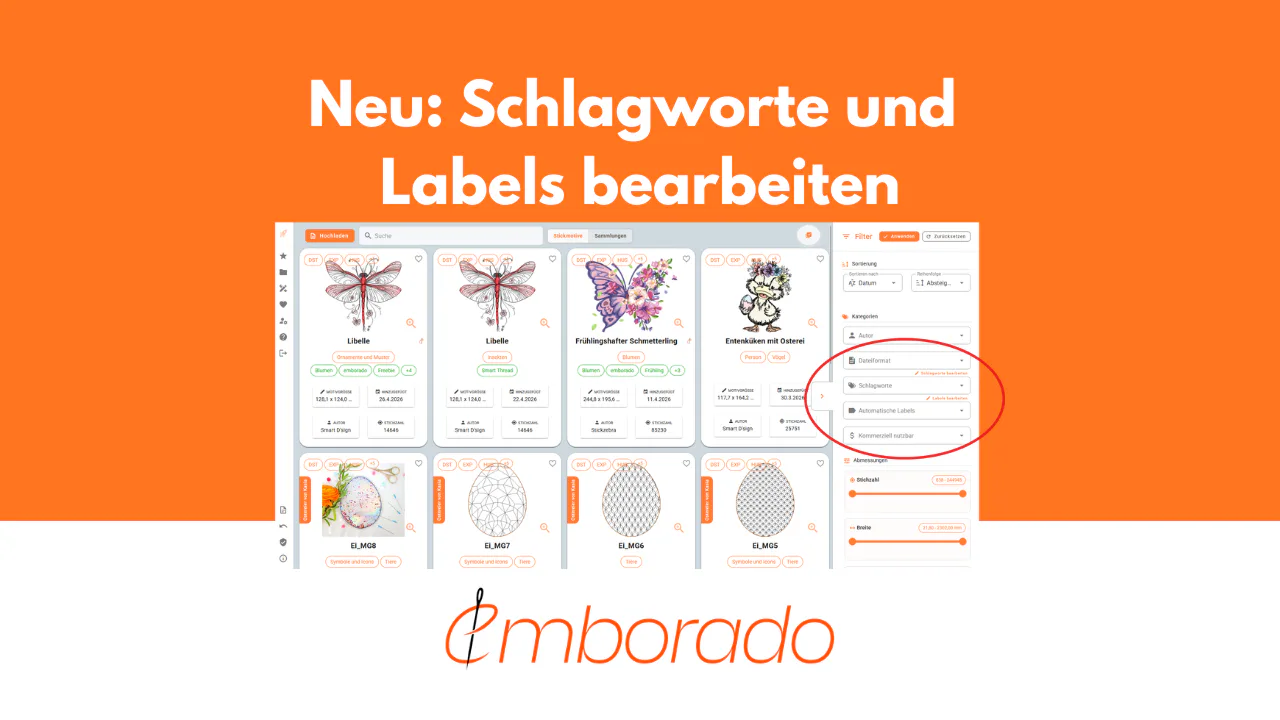
Anyone who manages many embroidery files with emborado will probably use tags or automatic labels sooner or later to find designs more quickly.
It can easily happen that similar terms appear more than once. For example, you might have the tag “Flower” and also “Flowers”. Or you may want to rename a tag later because another term fits your own organization better.
That is exactly what the new editing features for tags and AI labels are for.
You can now:
- delete tags
- merge tags
- rename tags
- delete AI labels
- merge AI labels
- rename AI labels
- create new AI labels that can be assigned automatically in the future
This keeps your collection cleaner, more organized, and easier to search in the long run.
What is the difference between tags and AI labels?
In emborado, there are two types of terms that help you organize your designs.
Tags are terms you assign yourself. You can add them manually to designs to structure your collection according to your own criteria.
AI labels are suggested automatically by emborado. When you upload a design, our AI model checks which labels fit best and assigns one of them to the design.
Both help you find your designs more quickly later. With the new editing features, you can now maintain both areas much more easily.
Where can I find the editing options?
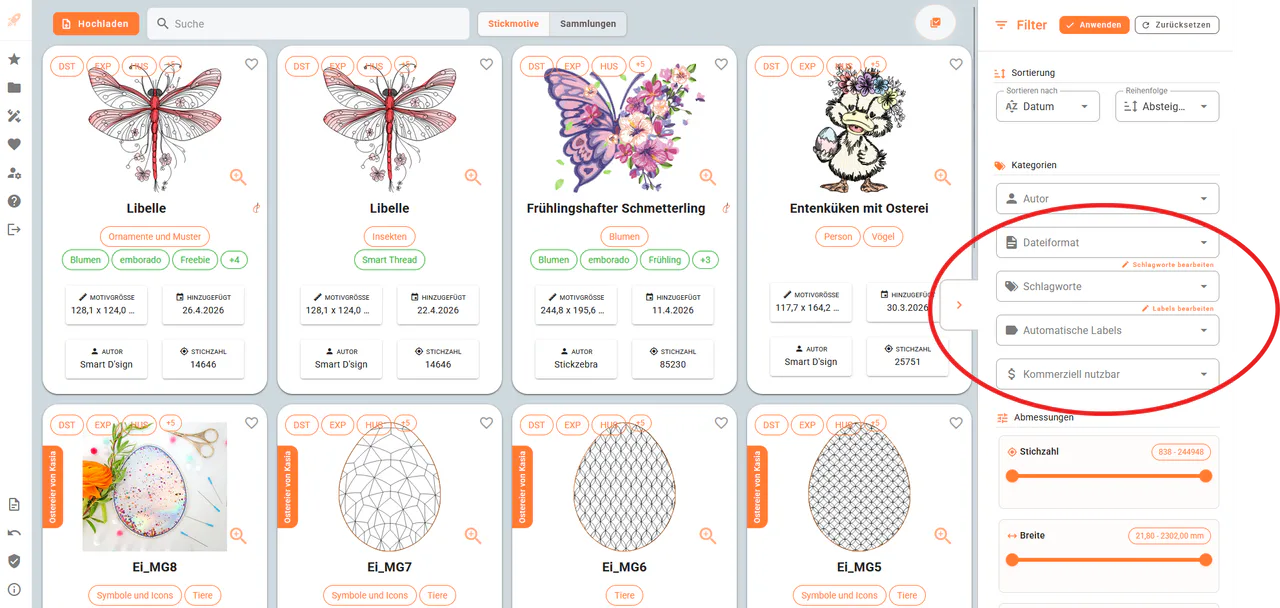
You can find the editing options directly in the design list.
Open the filter sidebar on the right. In the Categories section, you will find the filters for Tags and Automatic labels.
Next to these sections, there is now a small editing option:
- Edit tags
- Edit labels
Clicking one of them opens the corresponding management page.
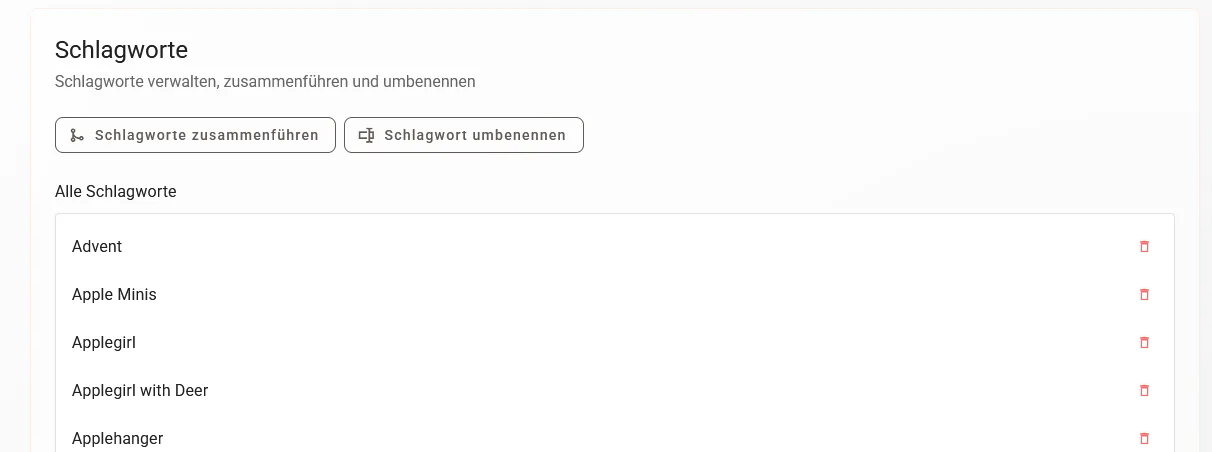
Manage tags
On the Tags page, you will find an overview of your existing tags.
Here you can manage, merge, rename, or delete the tags you have assigned yourself.
Merge tags
Merging is especially useful if you have similar or duplicate terms in your collection.
A typical example:
- Flower
- Flowers
If both terms actually mean the same thing, you can merge them into one shared target tag. After that, only the selected target tag will be used.
To do this, select one source tag in the top left and one source tag in the top right. At the bottom, you decide which tag should remain as the target.
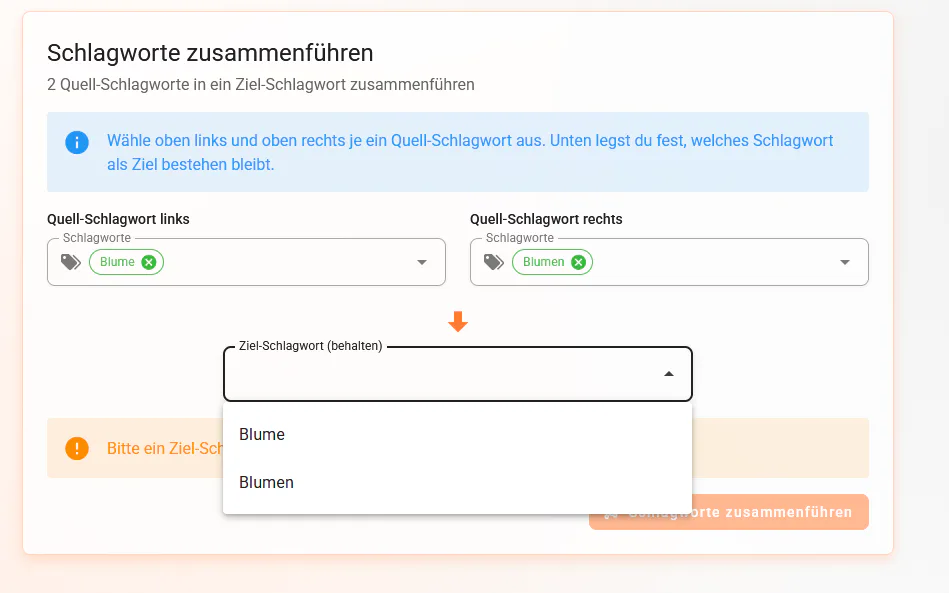
This allows you to gradually standardize your tags and prevent your collection from becoming confusing because of similar terms.
Rename tags
You can also rename tags.
This is useful if you want to correct a term or if another name fits your own organization better.
To do this, select the existing tag on the left and enter the new name on the right.
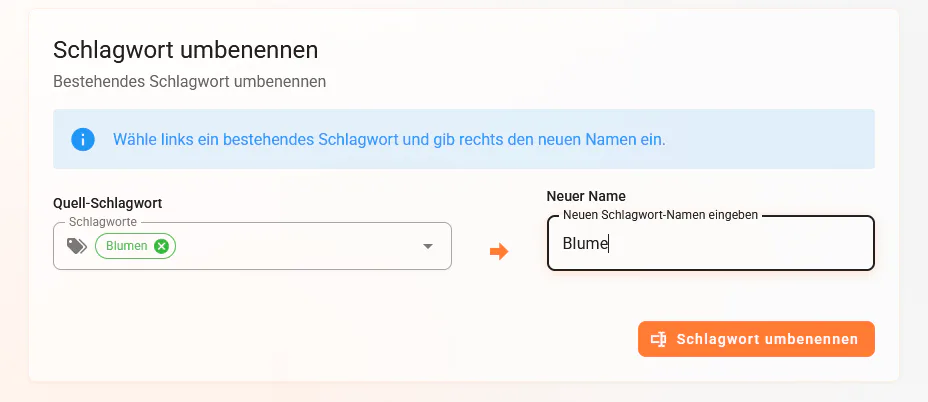
All designs that use this tag will then be updated accordingly.
Delete tags
If you no longer need a tag, you can delete it.
This is useful, for example, if a term was created by mistake or no longer plays a role in your organization.
In the overview, you will find a trash icon next to the tags. You can use it to remove a tag.
Manage AI labels
In addition to the tags you assign yourself, you can also edit AI labels.
These labels are used by emborado to automatically classify designs. When you upload a new design, the AI checks which label from your label catalog fits best and assigns it to the design.
You can now also manage, merge, rename, and delete these labels.
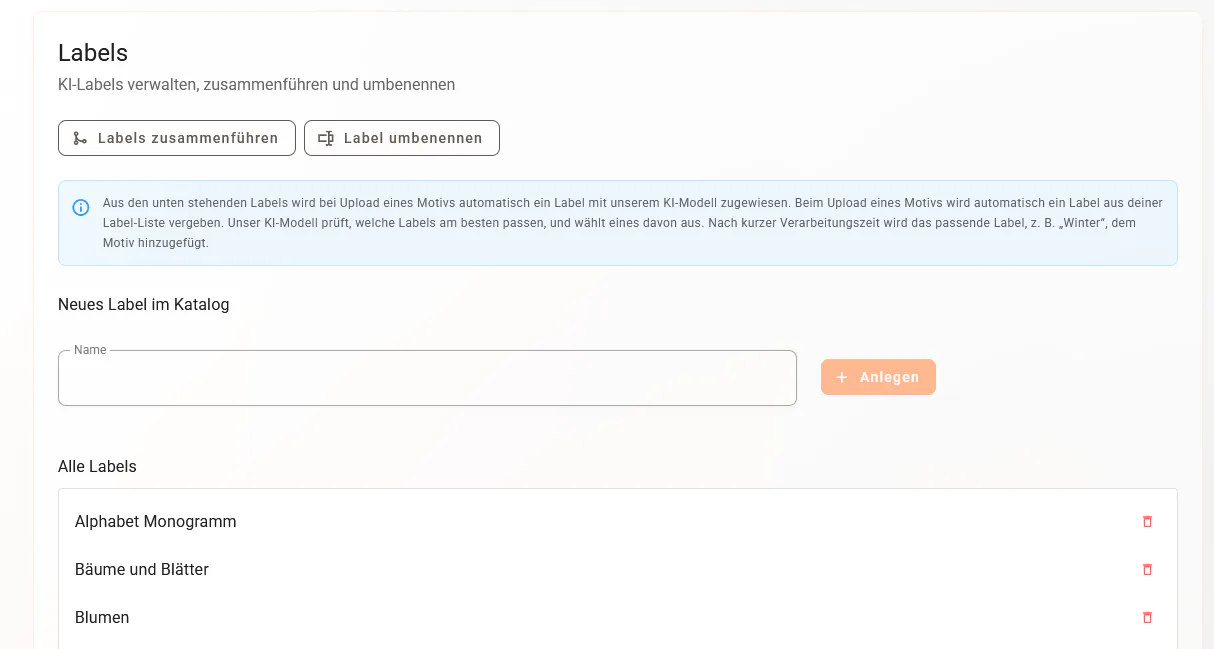
Create new AI labels
An important new option is creating your own labels for the AI catalog.
When you create a new label, it can be selected by the AI in the future. When a design is uploaded, emborado checks whether the new label fits the design.
One example:
You create the new label “Dog”. If you upload a matching dog design afterwards, the AI can automatically select this label and assign it to the design.
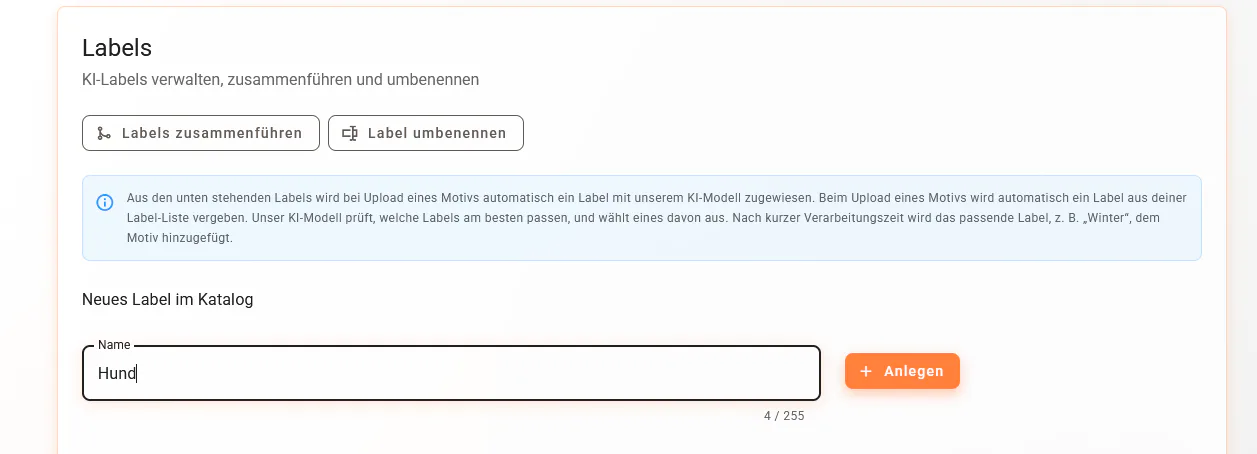
Example: a new label is used automatically
After creating a new label, emborado can automatically assign this label to matching designs.
For example, if you have created the label “Dog” and then upload a dog design, the design can automatically be assigned this label.
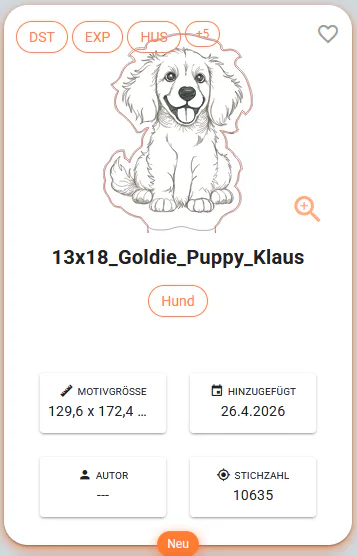
This allows you to adapt the automatic classification of your designs more closely to your own collection.
When is the new editing feature especially helpful?
The new features are especially helpful when your collection has grown over time.
Typical situations include:
- You have similar tags like “Flower” and “Flowers”
- You want to standardize terms
- You accidentally created a duplicate or incorrect tag
- You want to remove unused terms
- You want to adapt the AI labels more closely to your own designs
- You want to add new categories that emborado should automatically recognize in the future
Especially with large embroidery file collections, clean tags and suitable labels help you find designs faster and keep your overview more useful in the long run.
Use bulk editing to add shared tags to several designs. You can then use those terms when searching by name and design content.
💬 We would love your feedback!
Editing tags and AI labels is another step toward making emborado better suited to your personal way of organizing your files.
Feel free to share your feedback with us directly. It helps us continue improving emborado and make organizing your embroidery files even easier.
Haven’t tried it yet?
Try emborado for free and manage your tags and AI labels directly in your own collection:
app.emborado.de